










Knowledge Hub
Installation Guide & Maintenance Checklist for WiFi CCTV in Pakistani Homes

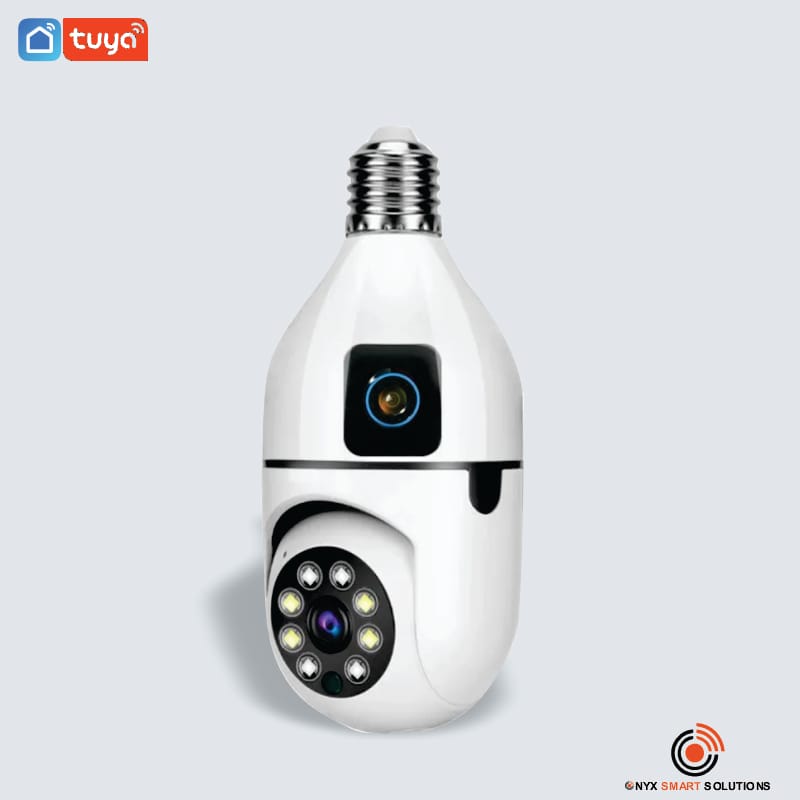
Home security is more important than ever. If you live in Pakistan, you already know that power issues and internet dropouts can make home safety tricky. That’s where Onyx Smart Solutions comes in — offering reliable WiFi CCTV cameras that protect your home 24/7, even when the lights go out.
Why You Need Home Security Cameras in Lahore Pakistan
A good WiFi CCTV system helps you:
Watch your home from anywhere using your phone.
Get instant motion alerts when something moves outside.
Record video even when you’re not home.
Deter thieves — visible cameras make most intruders think twice.
Many people in Pakistan face power cuts and weak WiFi signals. So, choosing the right camera is very important.
Analog vs IP Cameras – What’s the Difference?
Before installation, understand your options:
Analog Cameras
Use DVRs (Digital Video Recorders) and long wires.
Offer basic video quality.
Don’t work well for remote viewing.
Better for small budgets but harder to install.
IP or WiFi Cameras
Work over WiFi or LAN, no messy wiring needed.
Provide HD or 4K video quality.
Can be viewed on your phone anytime.
Support cloud storage or SD card instead of a DVR.
Onyx Smart Solution recommends IP or WiFi cameras for Pakistani homes because they are easy to install, use less wiring, and keep working with battery backup.
Step-by-Step WiFi CCTV Installation Guide
Here’s how you can install home security cameras yourself — or have Onyx Smart Solution do it for you:
1. Plan Your Camera Locations
Walk around your home and choose where to install cameras:
Main gate and garage
Front and back doors
Windows
Rooftop or garden area
Make sure each spot has a strong WiFi signal and some shade to protect from direct sunlight or rain.
2. Choose the Right Camera Type
If your home faces frequent load shedding, pick a battery-powered WiFi camera that works for 3–4 hours without electricity.
Look for features like:
Night vision
Motion detection
Two-way audio
Cloud or SD card storage
Some great options include Onyx Smart WiFi Cameras, Ezviz, or IMOU.
3. Mount the Cameras
Install the camera at a height of about 8–10 feet.
Use strong screws and wall plugs for stability.
Avoid pointing cameras directly toward bright lights.
Make sure the lens is clean and not blocked by trees or wires.
4. Connect to WiFi and Configure Settings
Open the camera’s mobile app.
Connect it to your WiFi network.
Set a strong password for security.
Adjust motion detection sensitivity.
Turn on notifications so you get alerts when someone moves outside.
If the WiFi signal is weak, use a WiFi extender or booster.
5. Test the System
Before finishing installation, test your setup:
Walk near the camera to check if motion alerts work.
View the live feed on your phone.
Turn off the power to see how long the camera runs on battery.
Try playback to ensure video is being recorded.
Maintenance Checklist for Home Security Cameras
Keeping your system in good shape ensures long life and better safety.
Here’s a simple maintenance checklist from Onyx Smart Solution:
✅ Clean camera lenses monthly with a soft cloth.
✅ Check that WiFi signal is strong at each camera.
✅ Make sure batteries are charged and working.
✅ Update camera software or firmware regularly.
✅ Check motion alerts and adjust if needed.
✅ Verify cloud subscription or SD card storage.
✅ Review recorded footage every week.
✅ Inspect power cables for damage.
✅ Test night vision and adjust camera angles if plants or walls block view.
Common Problems & Quick Fixes
| Problem | Quick Fix |
|---|---|
| Weak WiFi signal | Use WiFi extender or move router closer. |
| Camera not recording | Reboot camera or check SD card/cloud settings. |
| No night vision | Clean lens and check infrared settings. |
| Battery drains fast | Lower motion sensitivity or reduce video quality. |
| Cloud not working | Verify internet connection and subscription. |
Why Choose Onyx Smart Solution?
At Onyx Smart Solution, we don’t just sell cameras — we deliver peace of mind.
Our services include:
Professional installation of WiFi CCTV cameras.
Maintenance visits to check lenses, power, and signals.
After-sales support for any technical issues.
Customized packages for homes, offices, and shops in Pakistan.
We understand local challenges — load shedding, WiFi drops, and dusty weather — and we build smart security systems that work for you.
Final Thoughts
Installing a WiFi CCTV system in your home is one of the smartest investments you can make for your family’s safety.
With a clear plan, quality cameras, and regular maintenance, you can keep an eye on your property anytime, anywhere.
For reliable home security cameras in Pakistan, contact Onyx Smart Solution today —
📞 Get a free consultation and installation quote!